Your tickets and documents in Git, right where you work, not buried in a cloud.
An open-source agile system: Kanban boards, sprints, roadmaps, documents and ideas, all plain markdown in your own repositories. Works with your AI tools, and just as well without them.
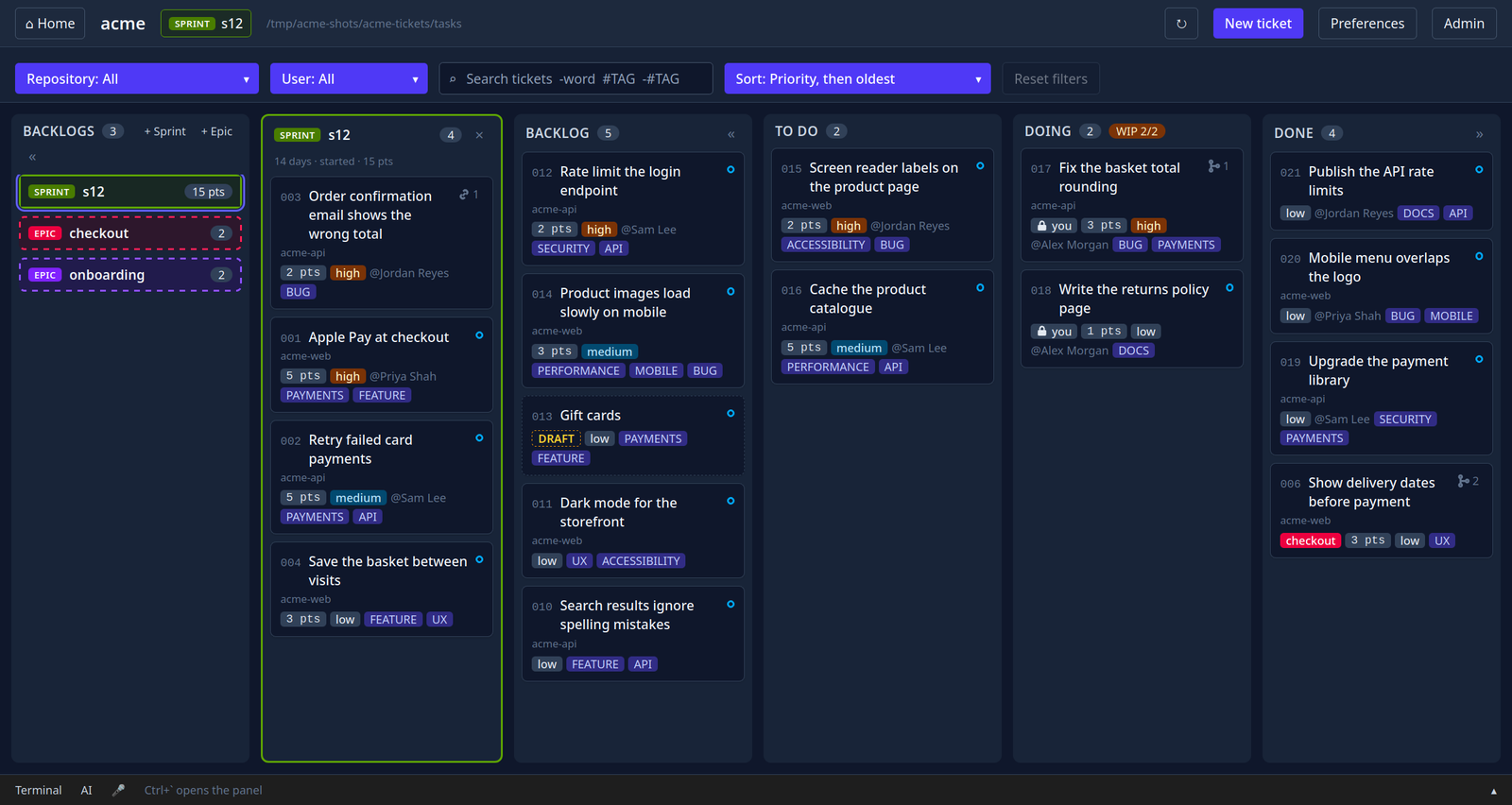
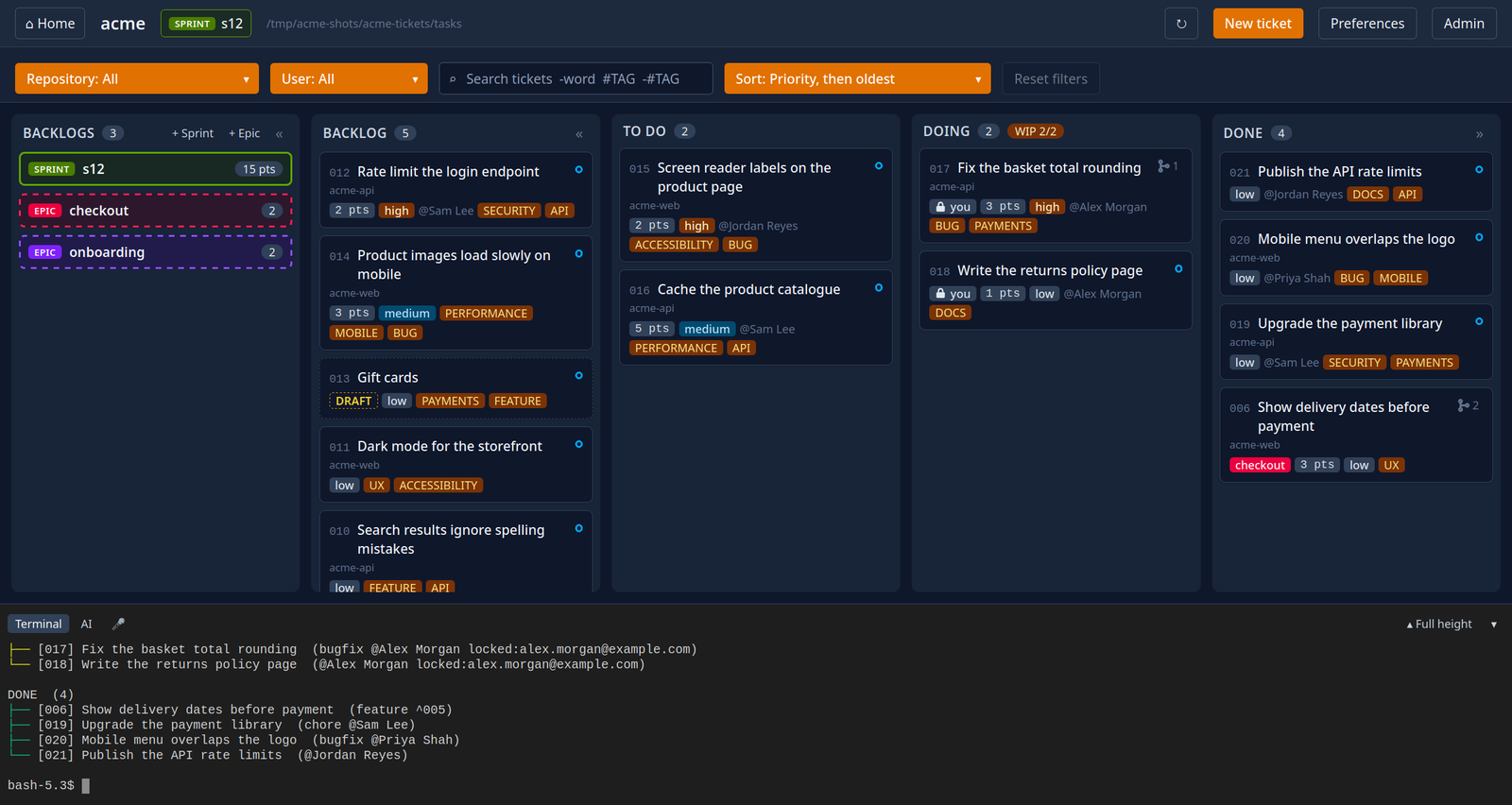
The board: a running sprint beside the backlog, todo, doing and done.
Status is the folder
A ticket is a markdown file. Its column is the folder it's in, and moving it is a git mv, so git history is your audit trail.
It lives where you work
A tickets repository beside your code. No server, no database, no account, and nothing to pay for. Your team and your AI read the same files.
One set of rules
amd on the command line and amdui on the desktop share one library, so a move follows the same rules wherever it's made.
Features
Tickets
One flexible ticket, from templates you can change
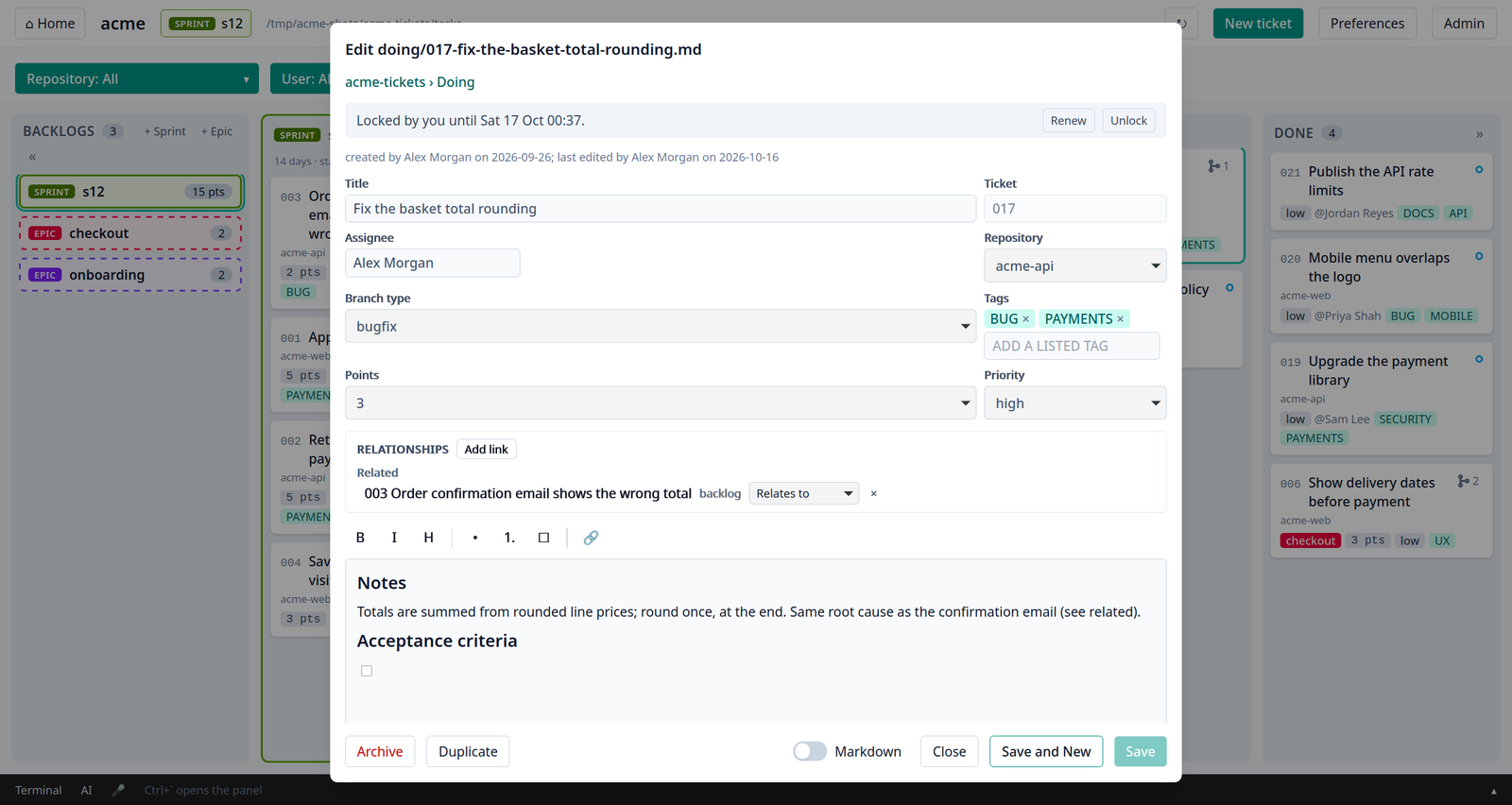
Priority, points, assignee, tags and repository
Typed links (requires, related, parent, supersedes) and a tree of them
Save and New for a ticket that depends on one not made yet
Drafts that can't leave the backlog until ready
A git branch per ticket when work starts
Search and filters
Workflow rules
One column at a time, unless the team allows other moves
Your own columns: Triage, Review, Released and more
Done waits for what a ticket requires and its children
A WIP limit on doing
Locks while a ticket is being worked on
Every change committed and pushed, boards kept in step
Planning
Epics and sprints, both optional
Auto priority from requires links, and a what's-needed-first sort
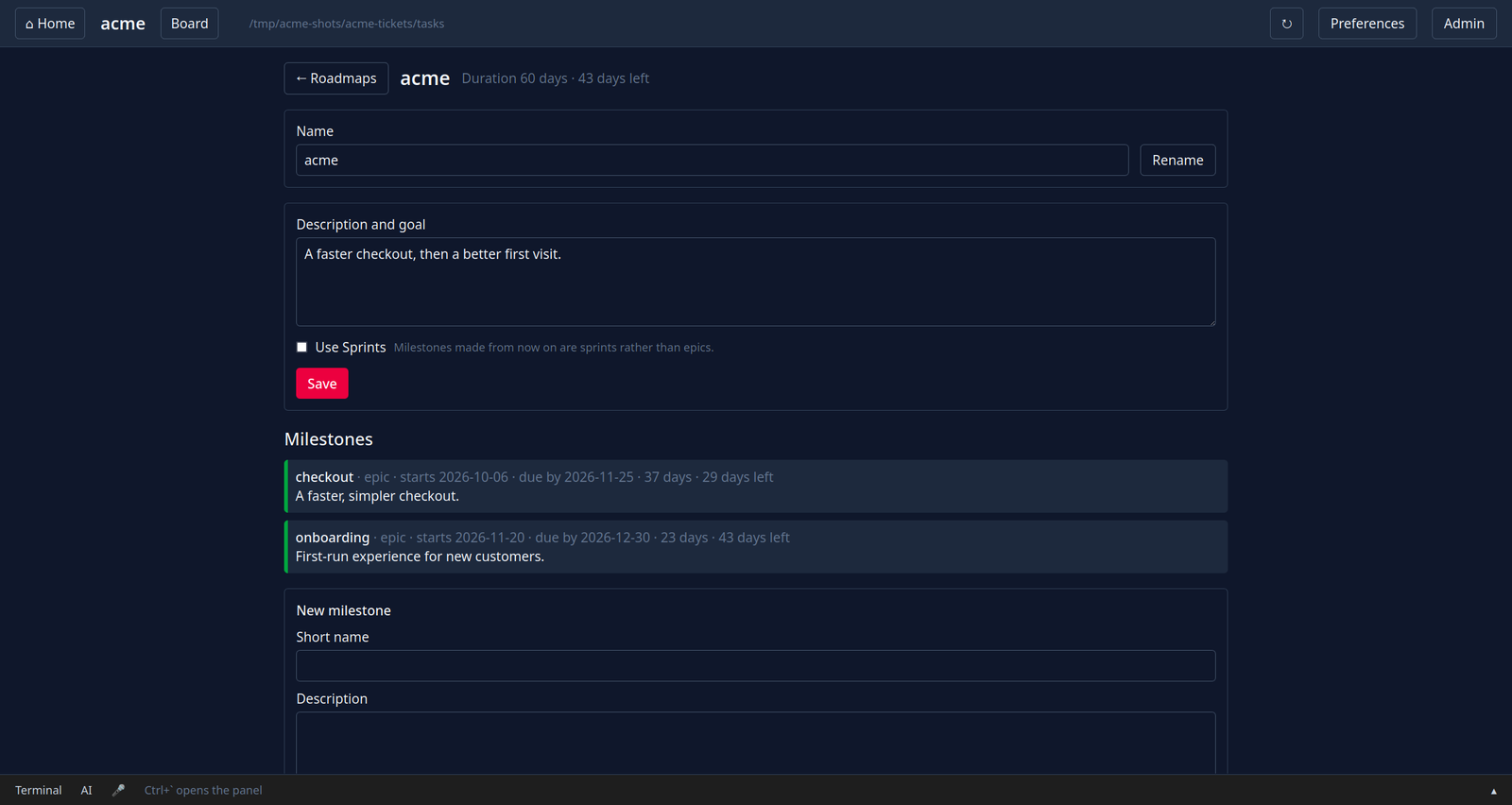
Roadmaps with milestones, working days and time left
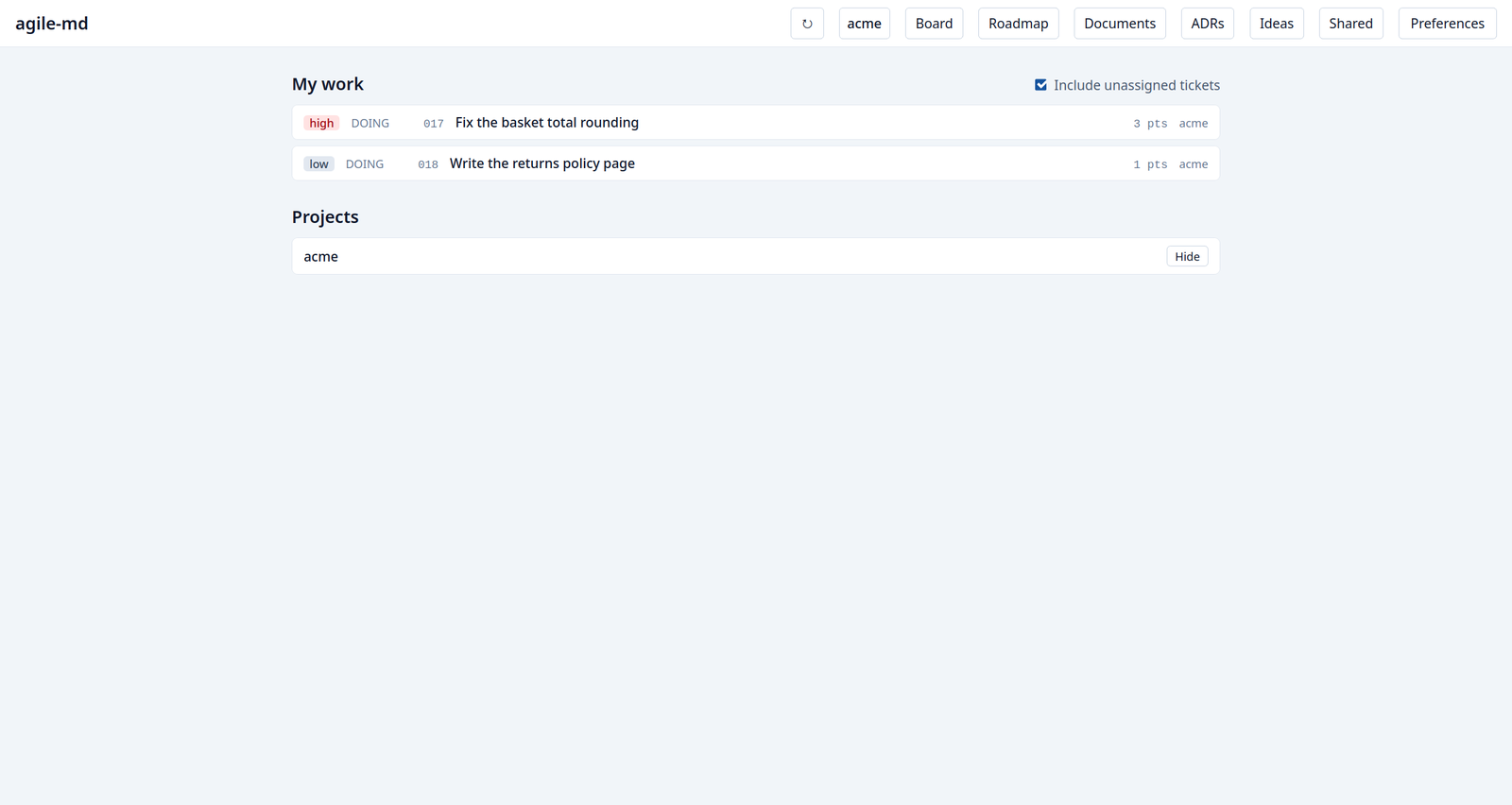
My work across every project on your machine
Documents and ideas
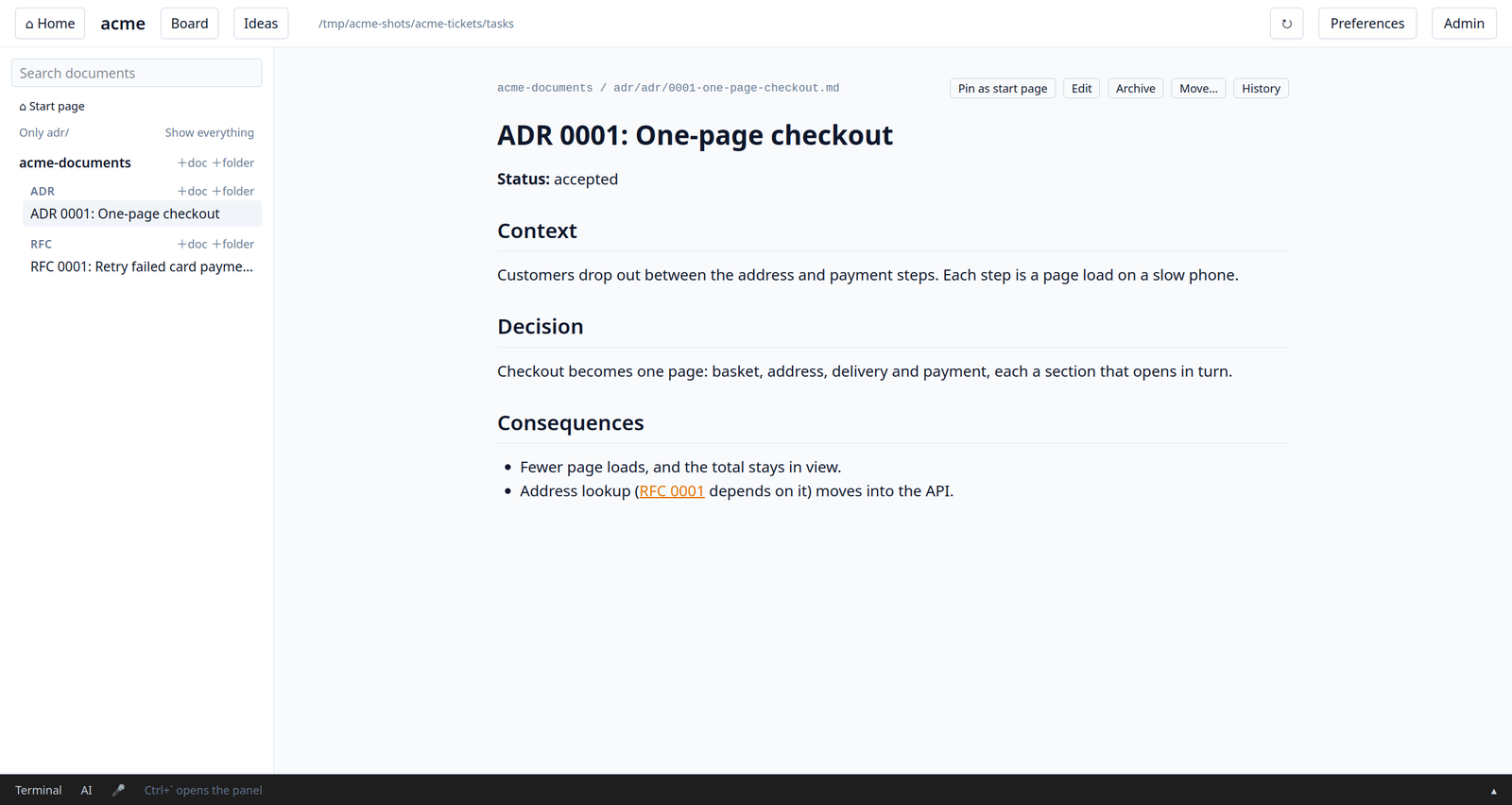
ADRs, RFCs and docs in a documents repository
Rich-text editing, history, restore and search
A pinned start page per project
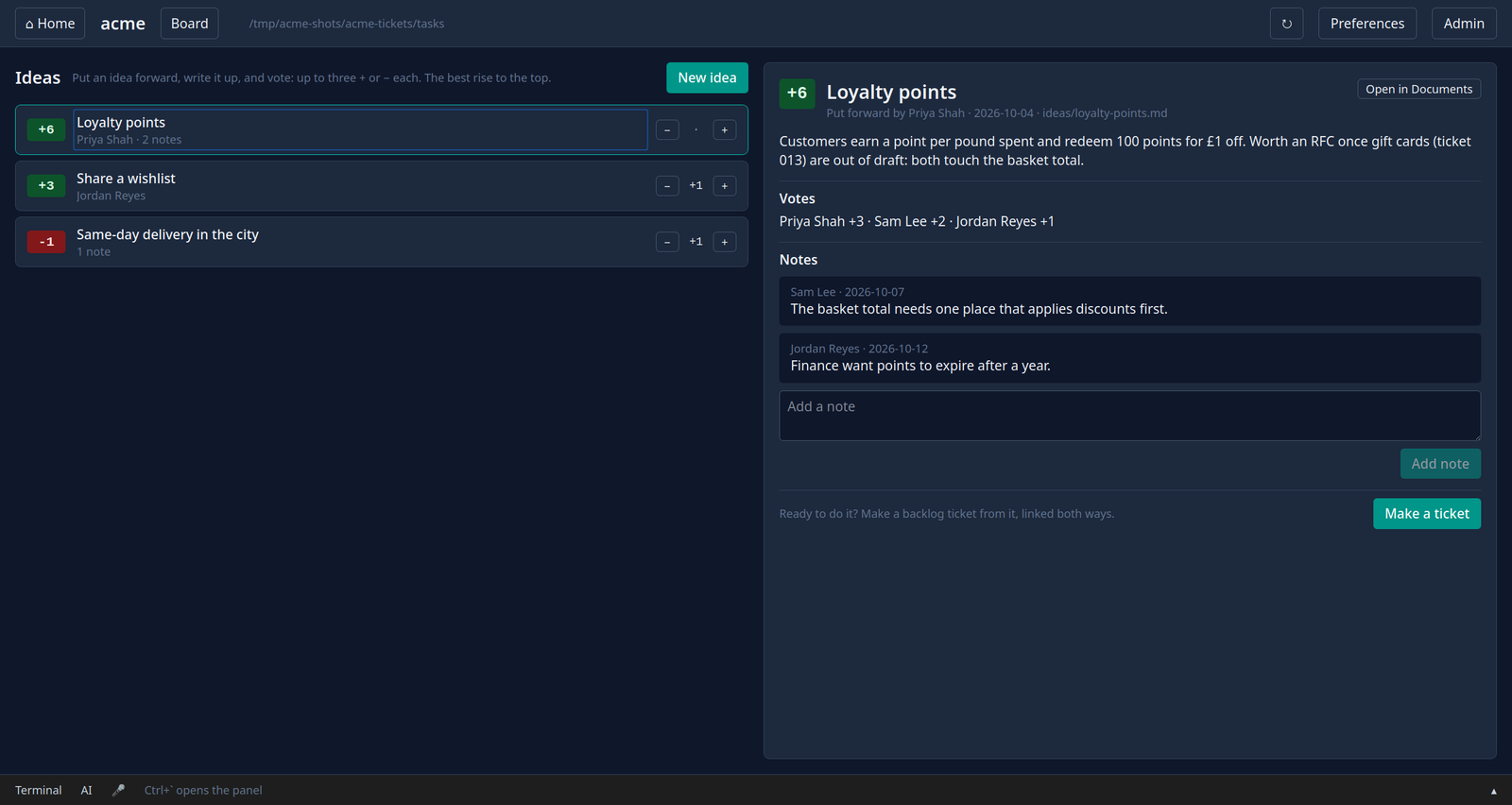
Ideas with votes and notes, one click to a ticket
Teams
amd init and amd join set a project up
Several repositories per project, several projects
New repositories made from the ticket that needs them
Team settings for admins; your own preferences
GitHub issues arrive as tickets to triage
Deleted tickets recovered from history
The desktop board
Drag and drop, with the rules shown as you drag
Live: changes from anywhere appear in a second
A terminal and an AI tab in a bottom panel
Optional speech to text and read aloud, entirely on your machine
Themes, accent colours and zoom
AI, if you want it
amd mcp for Claude Code, Copilot, Cursor, Codex, Gemini CLI and more
Reads the board, documents, ideas and what's on screen
Changes tickets under the same rules, every change committed
No API keys, nothing runs unless your AI tool starts it
Command line
Everything the board does is a command
Safe in scripts and CI: never prompts without a terminal
Shell completion for bash, zsh and fish
A look around
A ticket in the editor: fields, lock, links and notes.A roadmap: milestones with working days and time left.Documents: ADRs, RFCs, docs and a shared handbook.Ideas, best voted first, with votes and notes.The landing page: your work across every project.The bottom panel: a terminal, and an AI tab for your own AI tool.
Install
On Linux or macOS (x86_64 or arm64), with git 2.29 or later. Paste this into a terminal:
It installs amd, the command line, and amdui, the desktop board, and on Linux adds the board to your application menu. Run it again to update. If your system isn't one agile-md runs on, it tells you why and changes nothing; on Linux the desktop board needs WebKitGTK 4.1, and the installer names the package to add if it's missing.
To uninstall, run amd-uninstall: it removes the programs and asks before removing your settings. Your projects are never touched.
Then start a project, from the folder you keep projects in:
amd init my-project       # makes my-project-tickets and my-project-documents on GitHub
amd new "My first task"
amdui                     # the desktop board
The user guide covers everything else: tickets, columns, sprints, the desktop board, documents, ideas, roadmaps and teams.